Developer guide
This guide is for developers who want to work on this repository. It covers how to run the documentation site locally and describes the repository-specific tooling used to maintain component templates and generated README files.
Prerequisites
Install the Task runner
macOS
Linux
Windows
Running the documentation site locally
This command installs dependencies and starts a local server at http://localhost:8000. The site reloads automatically when files in the docs/ directory change.
For documentation-only edits in this repository, this section is sufficient.
Architecture diagram
The architecture diagram exists as one interactive page and four static images, all generated from a single source. Edit only docs/src/architecture.html; the images are generated, and hand edits to them are overwritten.
python3 tools/architecture-diagram/audit.py    # geometry and cross-reference check
python3 tools/architecture-diagram/render.py   # regenerate the SVG and PNG, light and dark
render.py loads the interactive page in headless Google Chrome once per color scheme and reads the rendered geometry and that scheme's CSS variables out of the page, so the static images cannot drift from the interactive one. Set CHROME to use a different browser binary. Commit the page and all four images together.
For the data model inside the page, see tools/architecture-diagram/README.md.
Copier watch
Use this section only when developing or testing an App Framework component template. It is not required for ordinary documentation edits in this repository.
tools/copier-watch/copier-watch.py is a development tool for iterating efficiently on copier templates such as af-component-fastapi-backend.
The script watches all file changes in a source template repository. When a template changes, it:
- Creates a local commit on the source repository and amends it on each subsequent change.
- Runs
copier updateon the destination repository using that local commit.
This enables iteration on Jinja templates without pushing remote commits. For each change in the source repository, it also resets the destination repository and applies the full changeset from scratch, so partial changes do not accumulate.
Warning
This script modifies Git repositories and can cause data loss. Ensure the destination repository has a clean git status before use. It runs git reset and git clean on the destination.
Copier watch usage
uv run tools/copier-watch/copier-watch.py \
  --commit-message 'Adjusted backend' \
  --answers-file .datarobot/answers/fastapi-web.yml \
  ~/code/af-component-fastapi-backend \
  ~/code/recipe-talk-to-my-docs
Arguments:
| Argument | Description |
|---|---|
--commit-message |
Message for the local amended commit on the source repository. |
--answers-file |
Path to the copier answers file in the destination repository. |
SOURCE_REPOSITORY |
Path to the component template repository being edited. |
DESTINATION_REPOSITORY |
Path to the recipe repository that receives the changes. |
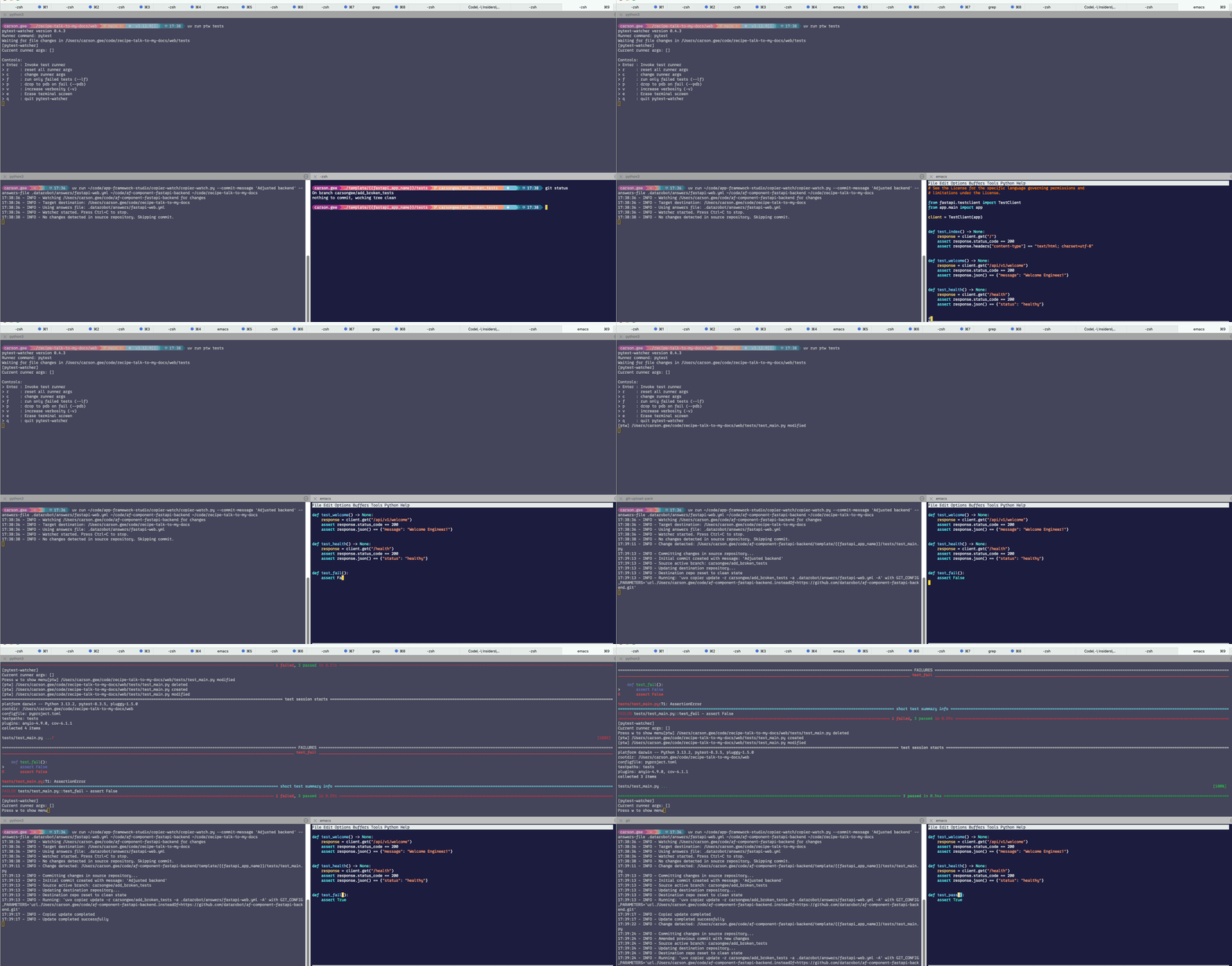
Typical workflow
- Top terminal:
pytestwatcher running in the destination repository. - Bottom-left terminal:
copier-watchwatchingaf-component-fastapi-backendfor changes. - Bottom-right terminal: template editing. When tests change, the updated template is applied to the destination repository, and
pytest-watcherdetects the updates automatically.
Component doc update
tools/af_component_doc_update generates a README.generated.md scaffold for App Framework component repositories. It reads the component's copier-module.yaml, which declares the module name, description, dependencies, and whether the component is repeatable, and renders a structured README template with standard sections prefilled plus placeholder comments for the parts that need human authoring.
Component doc update usage
From the tools/af_component_doc_update directory:
This writes README.generated.md into the target component repository. The output includes:
- Header with badges (version, license) and links.
- Quick start (
dr component addanduvx copier copycommands). - Component dependencies table (required and collaborates-with), populated from
copier-module.yaml. - Section scaffolding with inline authoring guidance for: prerequisites, local development, troubleshooting, next steps, and contributing.
The [[INSERT ... HERE]] placeholders and comment blocks guide what to write in each section. Follow the Documentation Style Specification when filling placeholders. Delete the comments once the section is complete.